This article explains how to complete and sign the consent form that allows your employer to request your driving record.
The consent form varies by province, but the steps to sign it are the same. You do not need a Horizon account to complete this form.
Note: If you’re in Quebec and your email asks you to sign in to SAAQclic, follow the steps in How to Complete Your Driving Record Verification via SAAQclic instead.
TABLE OF CONTENTS
Open the signing request
When your employer requests your driving record through Province Direct, you’ll receive an email from Trustii Horizon (noreply@trustii.co) with a secure link to the consent form.
1. Open the email and click Sign the document.
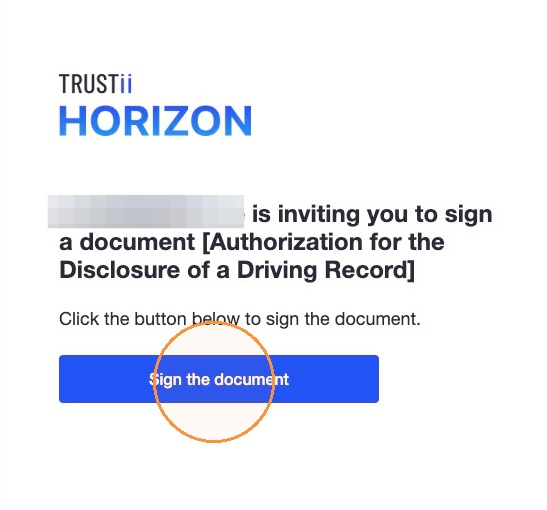
Note: If your employer has your phone number on file, you’ll also receive a text message from Trustii with the same link. You can complete the form on a mobile device or a computer.
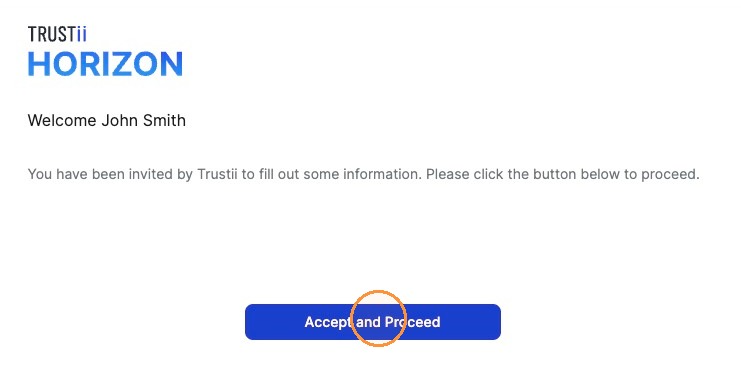
2. Click Accept and Proceed.
Complete and sign the form
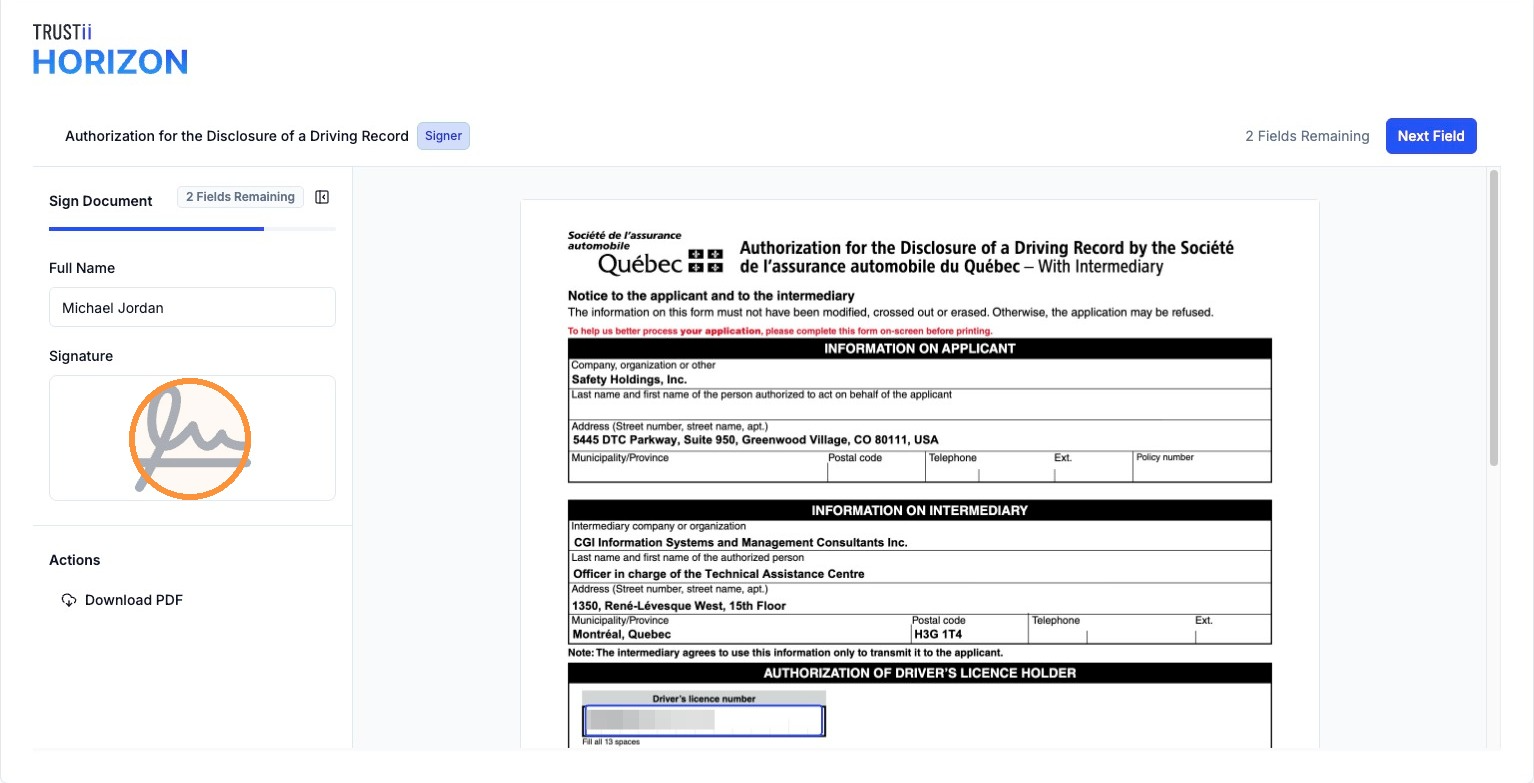
The form highlights each field you need to fill in. A counter shows how many required fields are left. Any information Horizon already has, such as your name, is filled in for you.
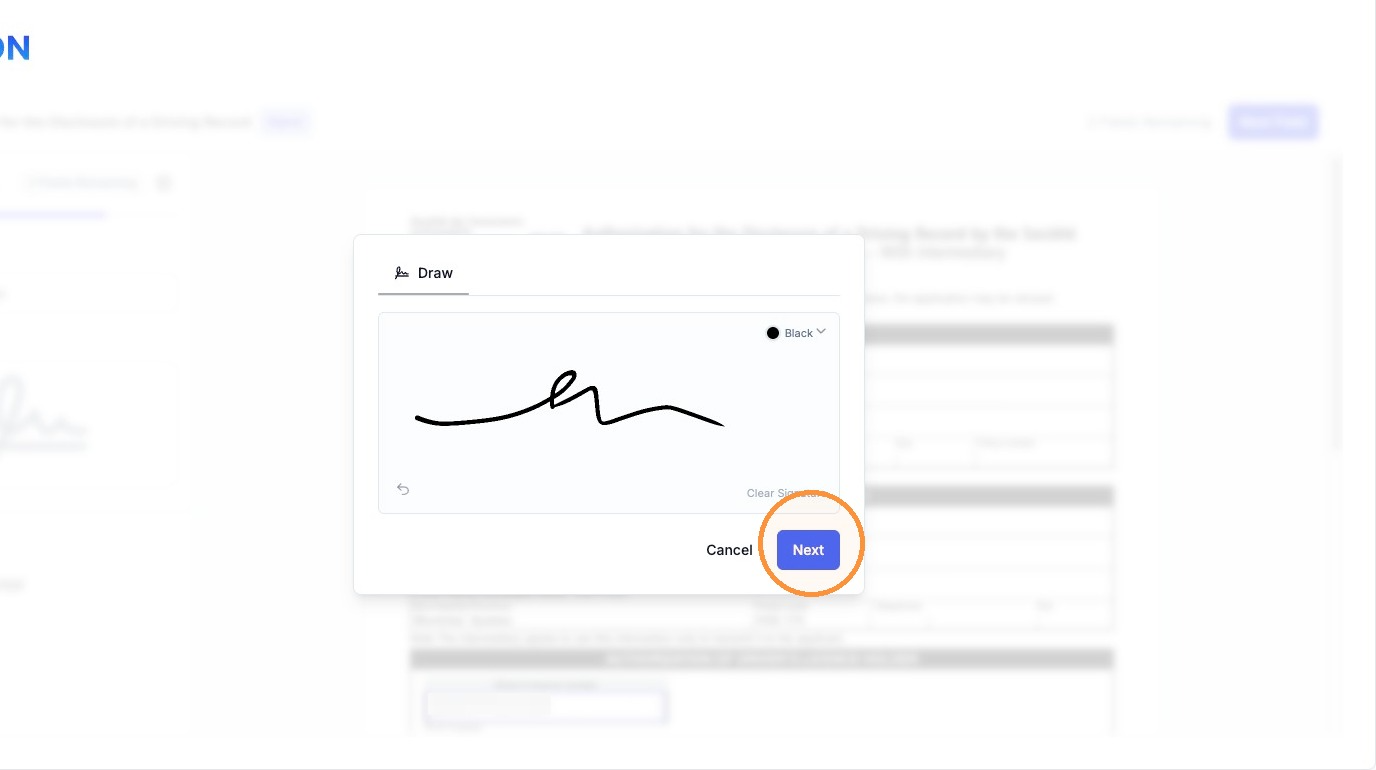
3. Click the signature field and add your signature.
4. Click Next.
5. Click each remaining highlighted field and complete it. Required fields may vary by province.
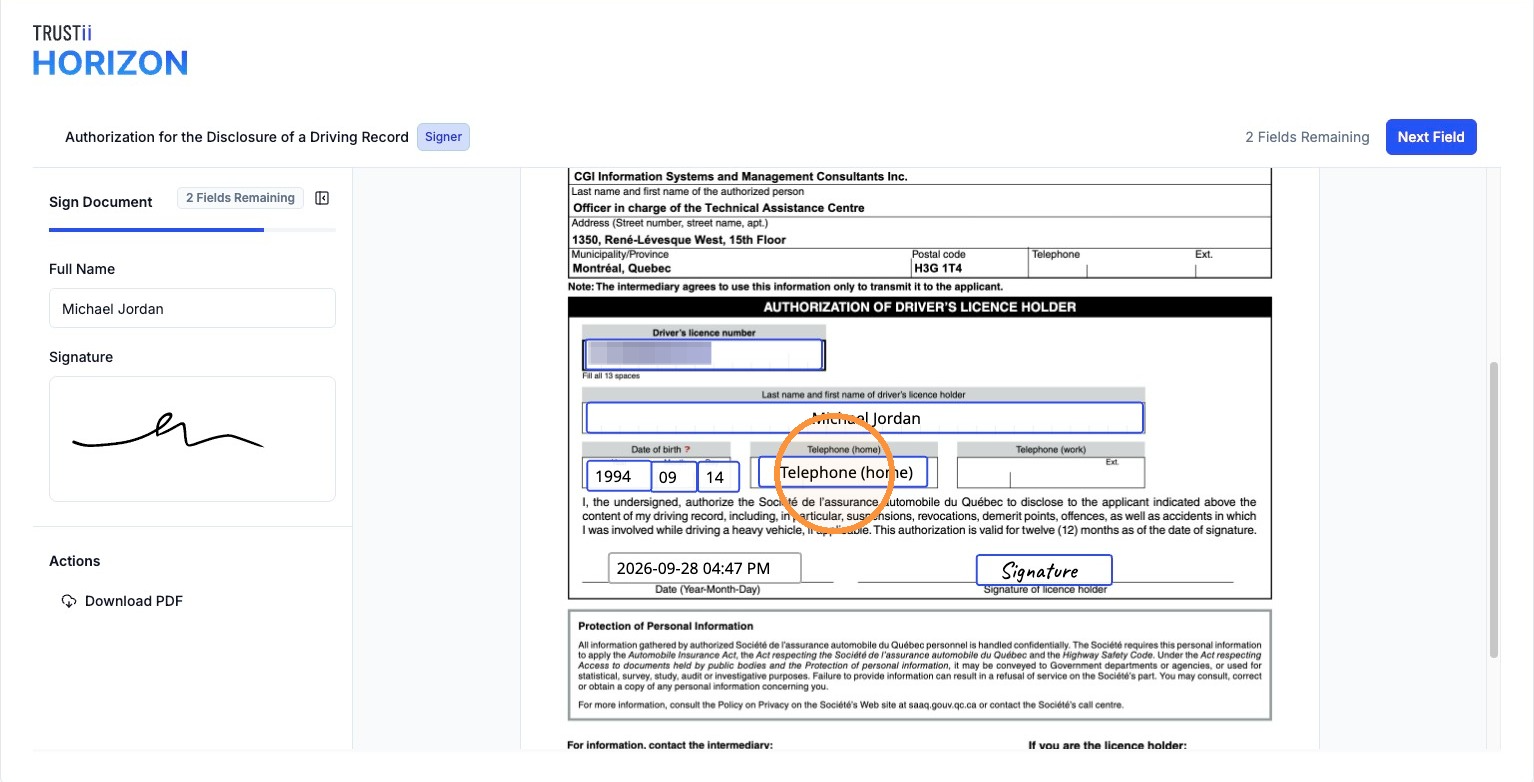
6. When the counter shows 0 Fields Remaining, click Complete.
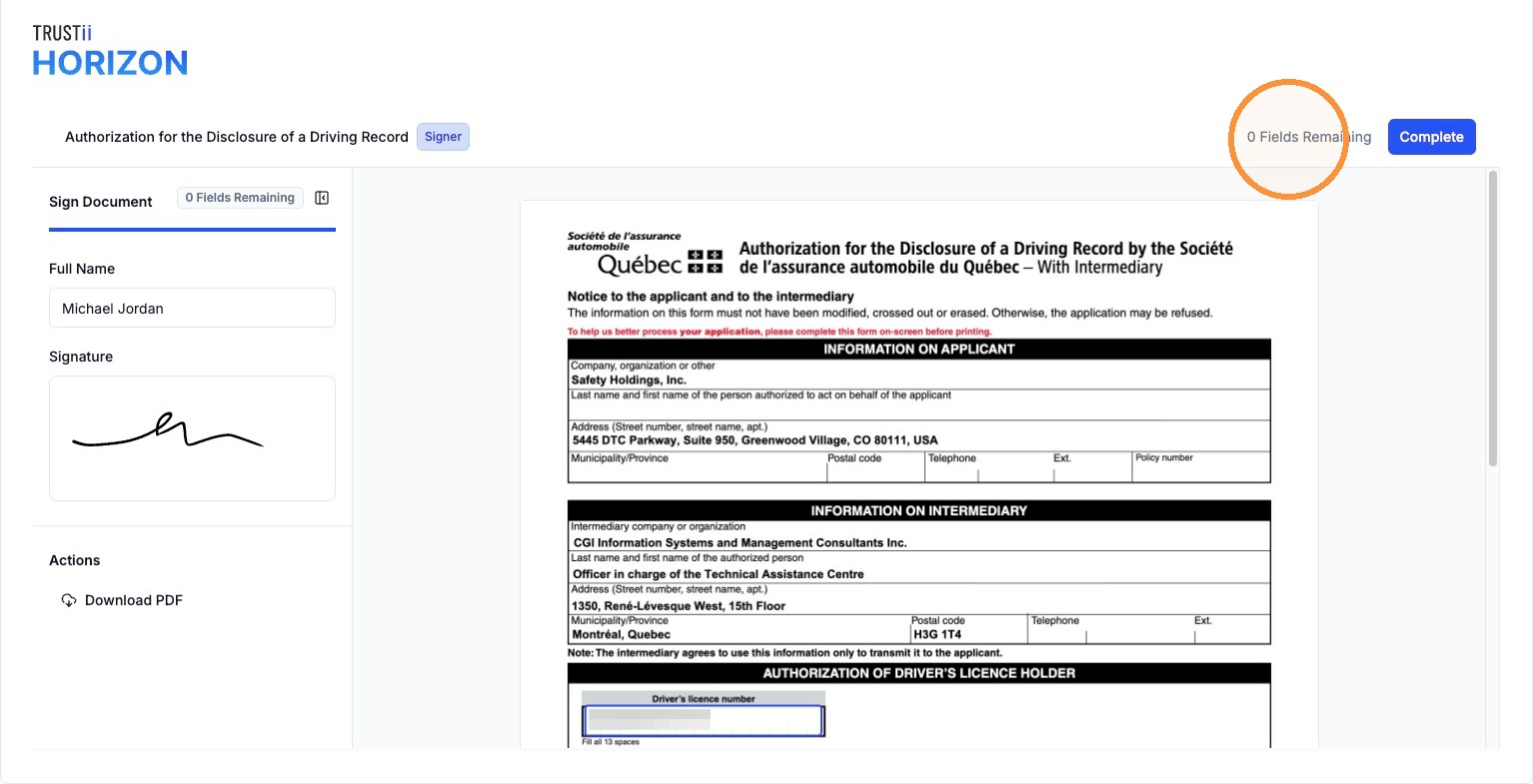
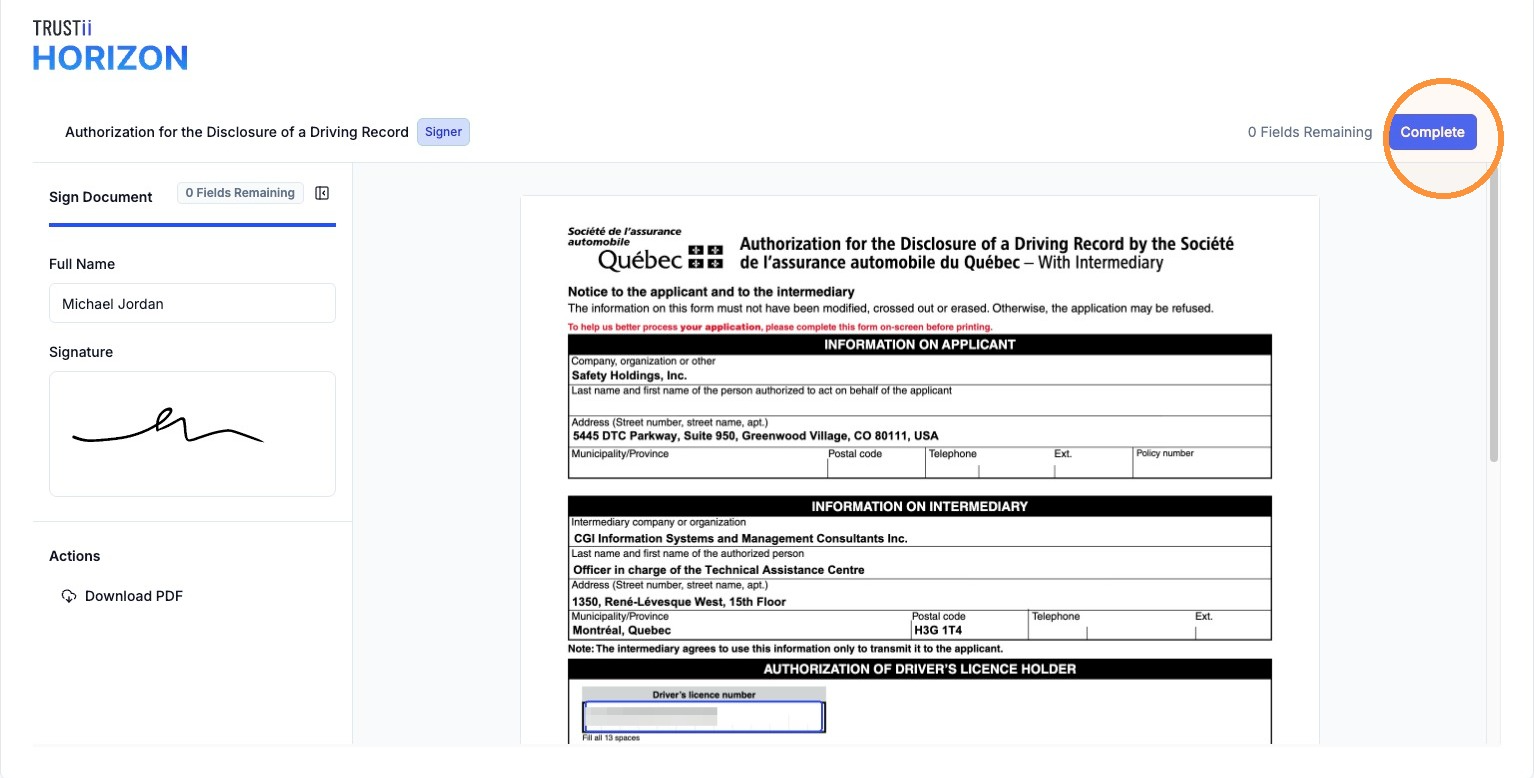
7. Click Sign to confirm.
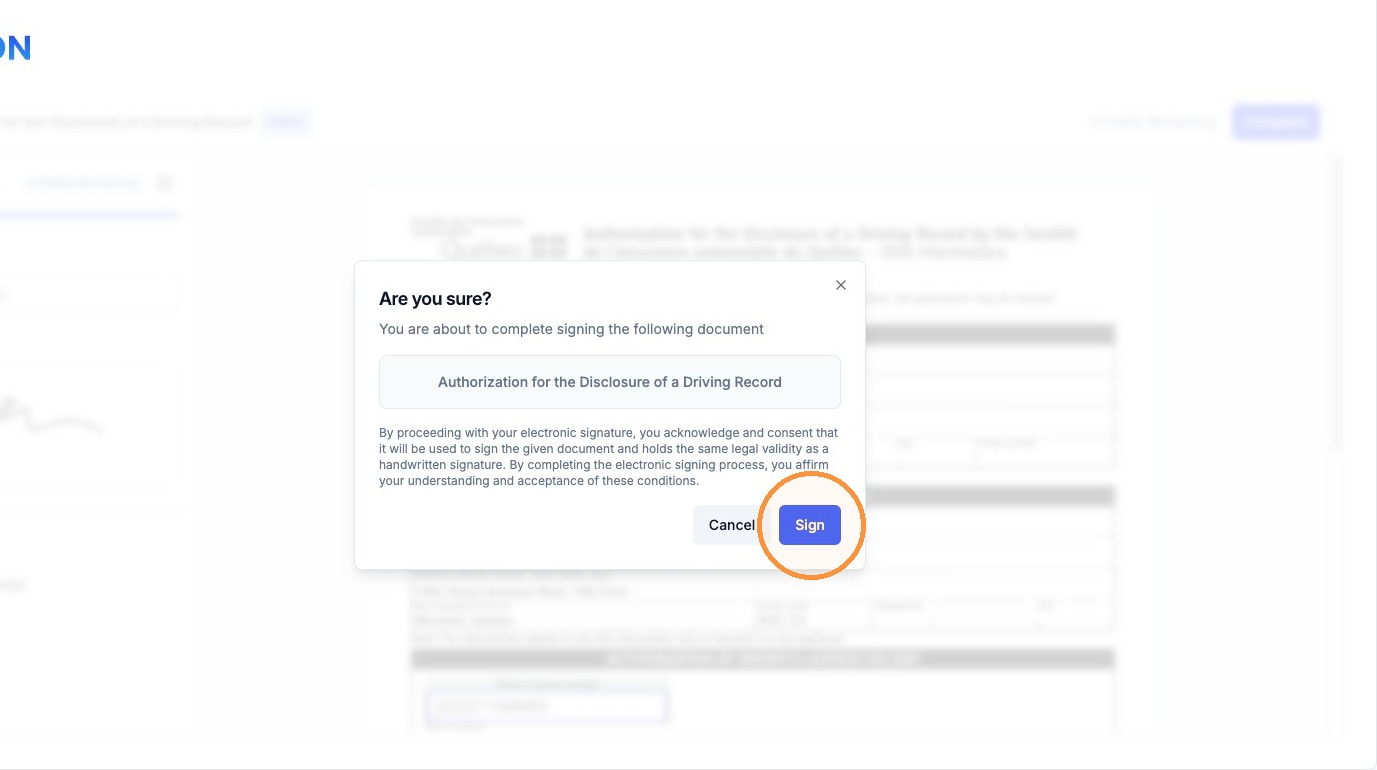
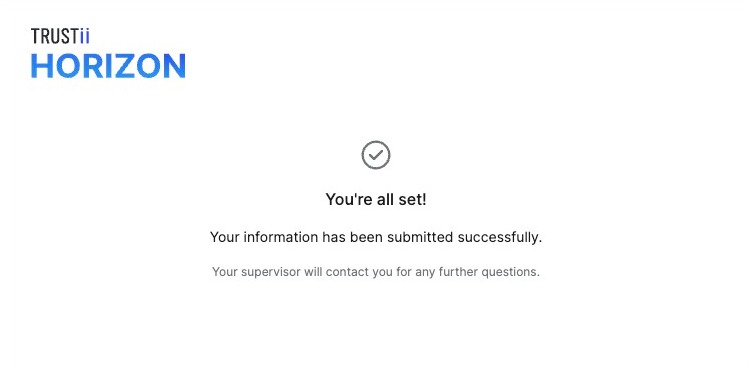
Once your form is submitted, a confirmation message appears. No further action is required.
Note: Some provinces require consent to be renewed regularly. If so, you’ll receive a new signing request by email when your consent needs to be renewed.
Frequently Asked Questions (FAQs)
Who should I contact if I have a problem completing the form?
For technical issues, email support@trustii.co. For questions about the request itself, contact your supervisor.
Can I complete the form on a computer or a mobile device?
Yes. You can complete the form on a computer, phone, or tablet. If you received a text message from Trustii, you can open the link directly on your phone.
Was this article helpful?
That’s Great!
Thank you for your feedback
Sorry! We couldn't be helpful
Thank you for your feedback
Feedback sent
We appreciate your effort and will try to fix the article